
PasteNow 2.32New
PasteNow for macOS — Free Download via Torrent or Direct Link. PasteNow is a clipboard manager for macOS that keeps a searchable history of everything you copy, so nothing gets lost when you copy something else.
Screenshots

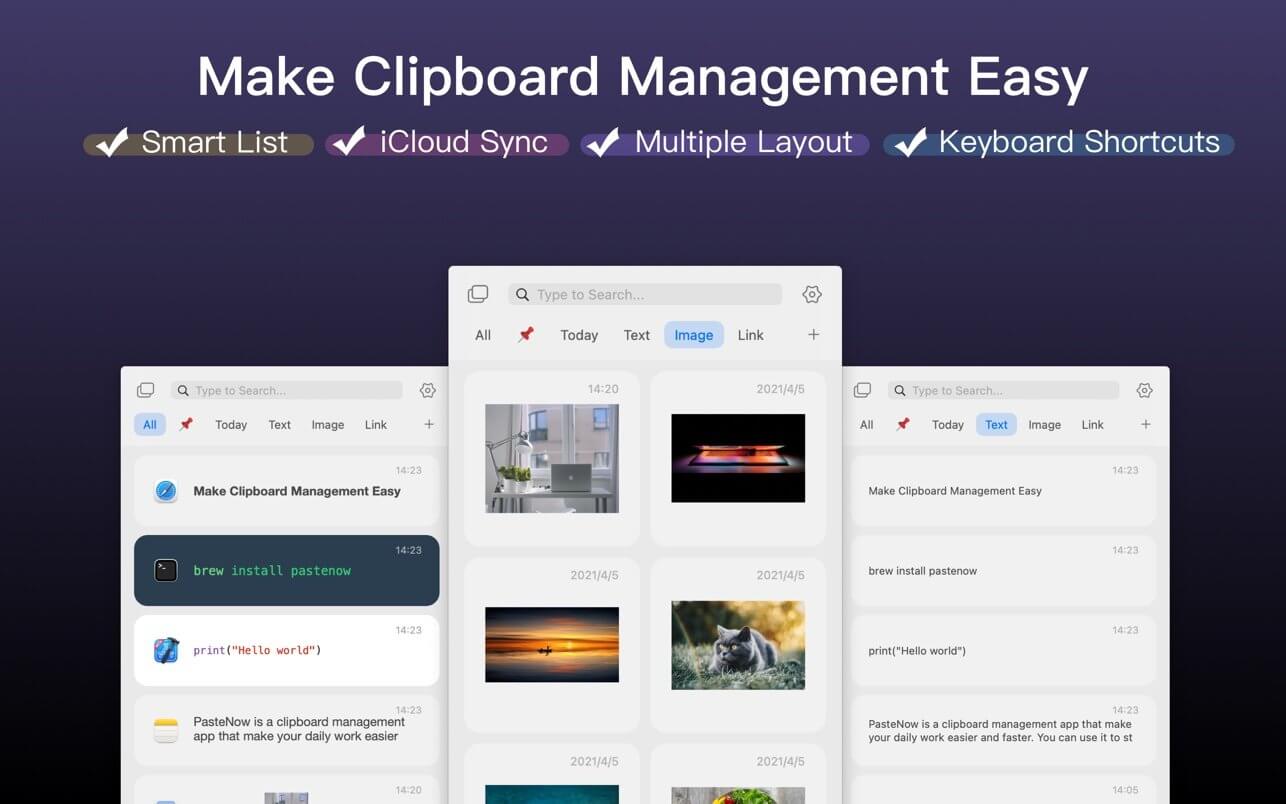
About
PasteNow Overview
PasteNow is a clipboard manager for macOS. It solves a problem every Mac user runs into: the clipboard only holds one thing at a time, so the moment you copy something new, whatever was there before is gone. PasteNow keeps a running history of everything you copy — text, links, images, files — so nothing disappears just because you copied something else.
You bring up the history with a keyboard shortcut, search or scroll to the item you need, and paste it. Because it captures automatically in the background, there is nothing to set up per item — you copy the way you always have, and the app quietly builds the archive behind you.
It also doubles as a place to keep things you paste often: email signatures, addresses, code snippets, standard replies. Instead of hunting for that text in an old document every time, you pin it once and pull it up with the same shortcut you already use.
Features
- Clipboard history — automatically stores everything you copy so you can go back to earlier items at any time.
- Multiple content types — handles plain text, rich text, links, images, and files, not just text.
- Quick search — type a few characters to find an item instead of scrolling through the full history.
- Pinned items — keep frequently used snippets permanently available at the top.
- Keyboard-driven — open, search, and paste without touching the mouse.
- Plain text pasting — strip formatting on paste when you don’t want the source styling coming with it.
- Organized collections — group saved snippets into categories so the list stays manageable.
- Privacy controls — exclude specific apps, such as password managers, from being recorded.
- Lightweight menu bar app — runs quietly in the background with minimal system impact.
Who It’s For
Anyone who copies and pastes all day: writers moving text between documents, developers reusing snippets, support staff sending the same replies repeatedly, and researchers collecting quotes and links from multiple sources.