Parallels Desktop 27.0.0 58628New
Parallels Desktop for macOS — Free Download via Torrent or Direct Link. Parallels Desktop is virtualization software that runs Windows and Linux natively on Apple silicon Macs, with Coherence mode blending Windows apps into the macOS desktop.
Screenshots
About
Download Parallels Desktop for macOS
Parallels Desktop is virtualization software for macOS that runs Windows, Linux, and other operating systems alongside macOS without rebooting. A Windows virtual machine opens in its own window, or blends into the Mac desktop entirely, while macOS keeps running underneath exactly as before.
It is built specifically around Mac hardware, including Apple silicon, where it runs Windows for ARM directly rather than emulating an entirely different chip architecture. That keeps virtual machines fast enough for everyday use — office software, specific Windows-only apps, and development testing all run close to native speed rather than feeling like a slowed-down emulator.
Coherence mode is the feature most people notice first: Windows applications appear as individual windows on the Mac desktop, with no visible Windows desktop or taskbar, so a Windows app sits next to your Mac apps as if it belonged there. Alongside that, it handles shared files, copy-paste between operating systems, and drag-and-drop, so working across both feels like one system rather than two.
Features
- Run Windows on Apple silicon — Windows for ARM runs natively on M-series Macs without emulation overhead.
- Coherence mode — Windows apps appear as standalone windows on the Mac desktop, without a visible Windows interface around them.
- Snapshot support — save a virtual machine’s exact state and roll back to it whenever needed.
- Shared files and clipboard — copy-paste and drag-and-drop content directly between macOS and the virtual machine.
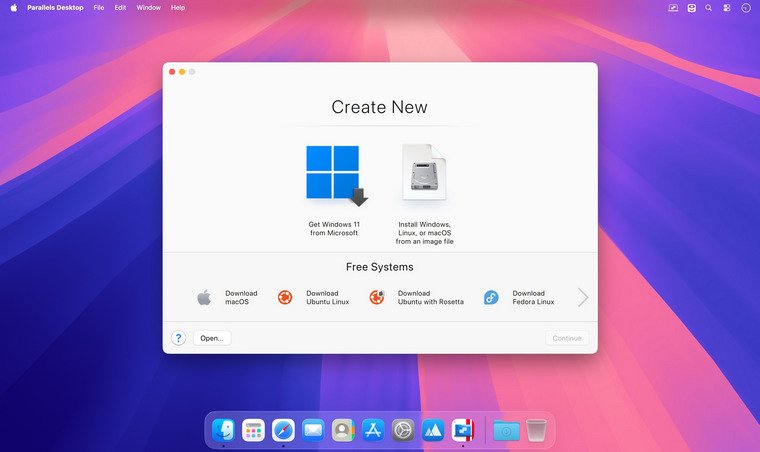
- Multiple OS support — run Windows, various Linux distributions, and other operating systems side by side.
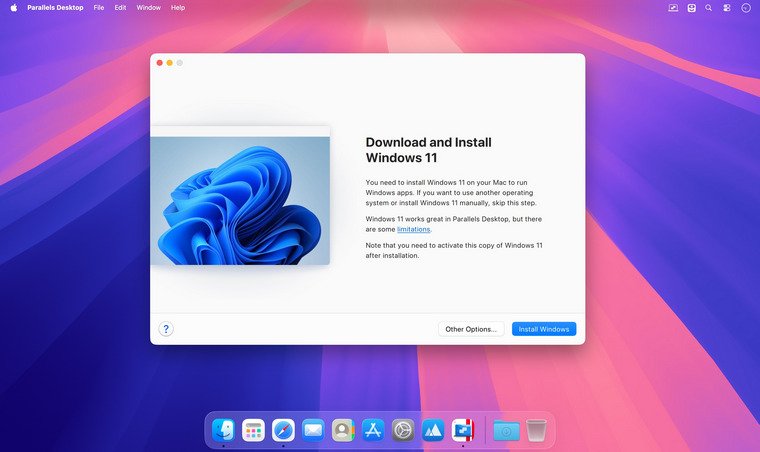
- Easy Windows installation — guided setup that downloads and configures Windows automatically on first launch.
- Shared or isolated networking — configure how the virtual machine connects to your network and the internet.
- Resource allocation controls — assign CPU cores, memory, and storage per virtual machine.
- Retina and multi-display support — virtual machines scale correctly across high-resolution and multiple monitors.
- Toolbox utilities — a set of Mac-focused productivity and cleanup tools bundled alongside the core app.
Who It’s For
Mac users who need Windows or Linux for specific tasks without giving up macOS: professionals running Windows-only business software, developers testing across operating systems, and anyone who occasionally needs a Windows app without switching to a second computer.