PDF Expert 3.11Updated
PDF Expert for macOS — Free Download via Torrent or Direct Link. PDF Expert is a macOS PDF editor that lets you change text directly inside documents, fill forms, sign, redact, and convert files without leaving the app.
Screenshots
About
PDF Expert Overview
PDF Expert is a PDF reader and editor for macOS built by Readdle. Preview handles basic PDF viewing well enough, but the moment you need to change text inside a document, rearrange pages, or fill in a form properly, it runs out. PDF Expert covers that gap without pulling you into a full desktop publishing application.
The core capability is direct editing. Click into a paragraph, and you can change the words, adjust the font, or replace an image, with the app automatically matching the surrounding formatting. That applies to contracts, reports, scanned documents, and forms alike — you work on the PDF itself rather than hunting for the original file it came from.
Alongside editing, it handles the everyday PDF tasks that otherwise send people to sketchy web converters: merging and splitting files, compressing large documents, converting to Word or Excel, adding password protection, and redacting sensitive information permanently. It is fast with large files and feels like a native Mac app rather than a cross-platform port.
Features
- Direct text editing — change words, fonts, and sizes inside an existing PDF with formatting matched automatically.
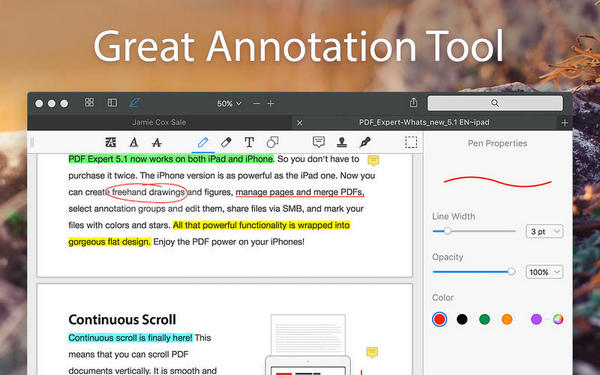
- Annotation tools — highlight, underline, add notes, draw, and stamp documents for review.
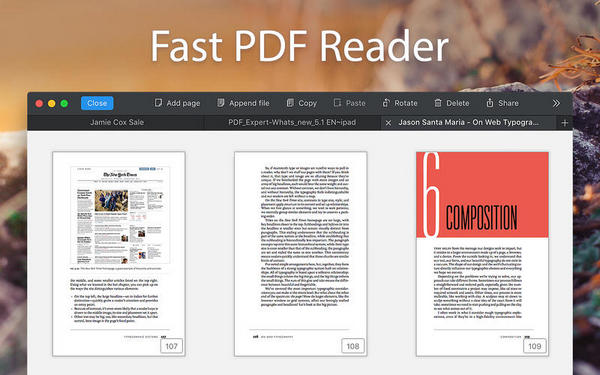
- Page management — reorder, rotate, delete, extract, and insert pages, or merge and split entire documents.
- Form filling and signing — complete interactive forms and add signatures without printing anything.
- OCR for scanned documents — turn scans into searchable, selectable text.
- Format conversion — export PDFs to Word, Excel, PowerPoint, and image formats.
- Redaction — permanently remove sensitive text and images rather than just covering them.
- Password protection — encrypt documents and set permissions for opening, editing, or printing.
- File compression — reduce document size for email and sharing without visible quality loss.
- Fast rendering — handles large, image-heavy documents smoothly, including scrolling and search.
- Cross-device sync — continue documents across Mac, iPhone, and iPad.
Who It’s For
Anyone whose work runs on PDFs: lawyers and accountants marking up contracts and statements, students annotating papers and textbooks, engineers reviewing drawings and submittals, and office staff who need to edit, sign, and send documents without a subscription-heavy suite.